
You can become a graphic designer with no experience by teaching yourself industry-standard software, building a portfolio with personal and volunteer projects, and networking strategically to land your first paying clients. The path takes roughly three to six months of focused practice and requires nothing more than a computer, design software subscriptions, and consistent effort to develop core skills in typography, color theory, and layout principles.
The barrier to entry in graphic design has never been lower. Unlike careers requiring formal degrees or certifications, design rewards demonstrable skill above credentials. Employers and clients care about what you can create, not where you studied. This reality opens the door for career changers, self-starters, and anyone willing to invest time in deliberate practice.
That said, the abundance of accessible tools and tutorials creates its own challenge. Without a structured approach, aspiring designers often spend months learning the wrong skills or building portfolios that fail to attract work. The difference between those who successfully transition into design and those who stall lies in following a proven sequence: master foundational concepts first, choose the right tools for your niche, create portfolio pieces that solve real problems, and position yourself where opportunities already exist.
This guide walks you through each stage with specific actions, not vague advice. You’ll learn which free and paid tools actually matter in 2026, how to build portfolio pieces when you have no clients, what mistakes drain months of progress, and how to verify you’re ready to charge for your work. If you’re willing to treat this as a structured skill-building project rather than a creative hobby, you can move from complete beginner to paid designer faster than most traditional career paths allow.
What You Need to Get Started: Tools and Software
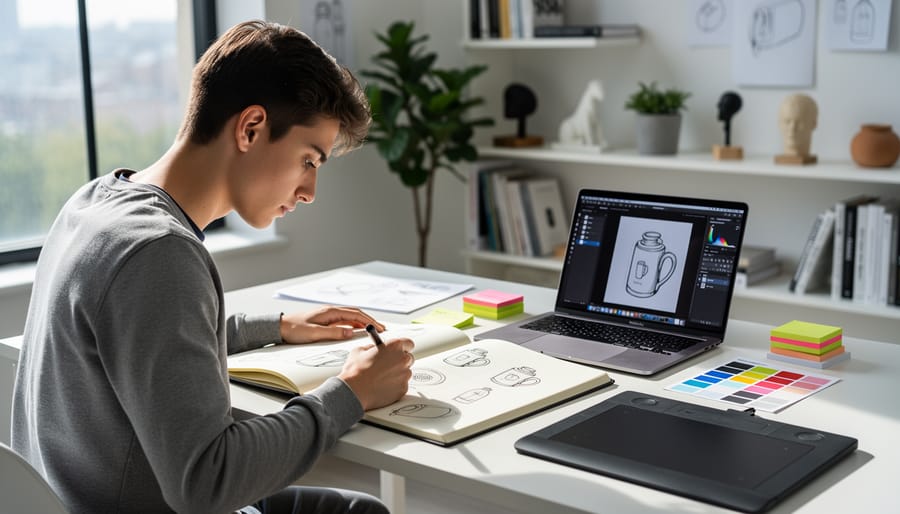
You don’t need expensive equipment or a design degree to start learning graphic design. A mid-range computer, free software, and internet access are enough to begin building real skills today.
Your computer should handle design software smoothly, but it doesn’t need to be top-of-the-line. A laptop or desktop with at least 8GB RAM (16GB is better), a decent processor, and a graphics card capable of running design programs will serve you well. Windows and Mac both work fine, though many professionals prefer Mac for color accuracy. A budget of $500-$800 can get you started with a capable machine if you’re buying new, or consider refurbished options to save money.
The software landscape offers excellent options at every price point. Start with free tools to learn fundamentals, then move to professional software as your skills develop. Here’s what you should consider:
- Canva: Free browser-based tool perfect for learning composition, color theory, and quick projects without technical barriers
- Figma: Free for individual use, industry-standard for UI/UX design, collaborative features, and runs in your browser
- GIMP: Free Photoshop alternative for photo editing and raster graphics, steeper learning curve but powerful
- Inkscape: Free vector graphics editor, comparable to Illustrator for logos and illustrations
- Adobe Creative Suite: Industry standard ($54.99/month for full suite), includes Photoshop, Illustrator, and InDesign
- Affinity Designer/Photo: One-time purchase ($69.99 each), professional-grade without subscription costs
Most beginners should start with Canva or Figma to build confidence, then transition to beginner-friendly design apps like GIMP or Inkscape before investing in Adobe subscriptions. This progression lets you discover which type of design work interests you most before committing financially.
Beyond software, invest in learning resources. YouTube tutorials, free courses on platforms like Coursera or Skillshare’s free trials, and design blogs provide structured learning paths. A graphics tablet isn’t necessary initially, but a basic Wacom tablet ($70-$100) can improve your workflow once you’re comfortable with core skills.
The total startup cost ranges from zero dollars using entirely free tools to around $1,000 if you need a computer and choose paid software immediately. Most successful self-taught designers start with free options and upgrade as they land their first paid projects.
Building Your Foundation: Core Skills to Master
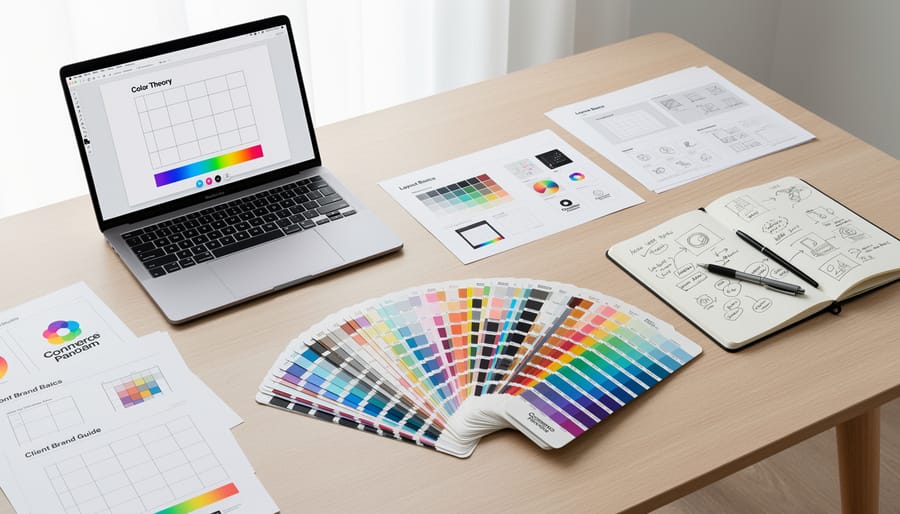
Design Principles and Theory
Balance keeps your designs from feeling lopsided. Symmetrical balance mirrors elements on both sides of a central axis, think wedding invitations or corporate logos. Asymmetrical balance distributes visual weight unevenly but still feels stable, like a large image on one side offset by smaller text blocks on the other. Start by squinting at your design: if one area draws all your attention, rebalance it.
Contrast creates visual interest and guides the eye. Use different font sizes, weights, or colors to separate headlines from body text. Pair thick and thin lines, or light and dark values. Without contrast, everything blends into a forgettable gray mess.
Hierarchy tells viewers what to read first. Your headline should dominate, subheadings come next, then body copy. Control this through size, color, position, and typeface choices. If everything screams for attention, nothing gets heard.
Alignment creates invisible lines that organize your elements. Left-align for easy reading, center-align for formal or minimal layouts, but pick one system and stick with it. Random placement looks amateur.
Composition is how all these principles work together. Practice by analyzing designs you admire, then recreating their structure with different content.
Technical Software Skills
The fastest way to master design software is to learn while creating actual projects, not by watching endless tutorials. Pick one primary tool, Adobe Illustrator for vector work or Photoshop for image editing, and commit to it for 30 days before adding others.
Start with a simple project: design a logo for an imaginary coffee shop. You’ll fumble through menus, Google “how to create shapes in Illustrator,” and make mistakes. That’s exactly how you learn. Each project embeds the techniques in your muscle memory far better than passive watching.
Use YouTube tutorials only when stuck on a specific task, not as your main learning method. Search “how to create custom brushes” when you need brushes, then immediately apply it to your current project. This targeted learning sticks because you’re solving a real problem, not absorbing theory.
Dedicate 60-90 minutes daily to hands-on creation. Replicate designs you admire to understand how professionals use tools, then modify them to make something unique. Within three weeks of daily practice, you’ll navigate your chosen software comfortably enough to bring ideas to life without constant Googling.
Your Step-by-Step Path to Becoming a Graphic Designer
Step 1-3: Learning and Practice Phase
Step 1: Master the Fundamentals Through Free Resources
Start with free platforms that teach design basics without overwhelming you. Canva Design School, YouTube channels like The Futur and Envato Tuts+, and Google’s Material Design guidelines offer structured learning paths. Dedicate your first month to understanding design principles, don’t touch software yet. Watch tutorials on composition, color theory, and typography daily. Take notes. Sketch layouts on paper. This foundation prevents you from becoming just a “button pusher” who knows software but not design thinking.
Step 2: Establish a Daily Practice Routine
Set aside 90 minutes daily, split into focused blocks. Spend 30 minutes studying a specific concept, 45 minutes applying it in software, and 15 minutes reviewing work from designers you admire. Recreate designs you like, not to copy, but to understand how they work. Track your progress in a folder. Consistency beats intensity. Three months of daily practice builds more skill than sporadic weekend marathons.
Step 3: Complete 10 Beginner Projects
Create tangible pieces that demonstrate specific skills. Design a logo for a fictional coffee shop. Build a social media template set. Redesign your local restaurant’s menu. Each project should tackle one new challenge, kerning, grid systems, color palettes. These become your first portfolio pieces and prove you can finish work, not just start it.
Step 4-6: Portfolio Development Phase
Once you’ve built foundational skills, it’s time to create work that demonstrates your abilities. This portfolio development phase transforms your practice into professional-quality pieces that convince potential clients or employers you can deliver results.
Step 4: Create Spec Work for Real Brands
Choose 3-5 companies you admire and create unsolicited design work for them. Redesign their social media graphics, craft a new logo concept, or develop packaging mockups. Treat these as real client projects with research, mood boards, and multiple iterations. Label them clearly as spec work in your portfolio, and explain your design decisions for each piece.
Step 5: Tackle Strategic Redesign Projects
Find existing designs that could be improved, local business flyers, nonprofit websites, or outdated brand identities. Document the original, identify specific problems, then create your improved version. This before-and-after approach shows critical thinking and problem-solving skills, not just software competency. Focus on projects that align with the type of design work you want to do professionally.
Step 6: Build Your Portfolio Website
Your portfolio site is your most important design piece. Use platforms like Behance, Adobe Portfolio, or a simple WordPress site with a clean theme. Display 6-8 of your strongest projects with high-quality images, brief project descriptions, and your design rationale. Include an about page that honestly explains your self-taught journey and a contact page with professional email. Avoid cluttering it with every practice piece, curation matters more than quantity.
Your portfolio should tell a story about the designer you’re becoming, not apologize for what you lack.
Step 7-10: Market Entry Phase
Landing your first paid work requires strategic visibility and consistent outreach. Start by joining design communities on LinkedIn, Behance, and Dribbble where you can share your portfolio, comment thoughtfully on others’ work, and connect with designers and potential clients. Attend local meetups or virtual design events, real relationships often lead to opportunities before job boards do.
Create profiles on Upwork, Fiverr, and Freelancer, positioning yourself as affordable but professional. Write a clear, benefit-focused bio explaining what you create and who you help. Set competitive introductory rates, charging $20-30 per hour or project-based fees allows you to build reviews and case studies. Apply to 5-10 relevant projects daily with personalized proposals that reference the client’s specific needs rather than generic templates.
For traditional employment, tailor your resume to highlight transferable skills and portfolio results rather than credentials. Include metrics where possible: “Redesigned local nonprofit’s brand materials, increasing their event signups 40%.” Apply to junior designer roles, marketing coordinator positions, and in-house marketing departments at small companies willing to train. Don’t skip businesses that aren’t explicitly hiring, a cold email with your portfolio link and a specific idea for improving their materials sometimes creates positions.
Your first client might come from unexpected places: a former colleague needing a logo, a friend’s small business, or someone who saw your work online. Say yes to these opportunities even if they’re modest. Every completed project becomes proof of your ability to deliver, handle feedback, and meet deadlines, the professional behaviors that separate hobbyists from hires. Track all work in your portfolio and request testimonials immediately after successful completion.
Creating Your Portfolio Without Client Work
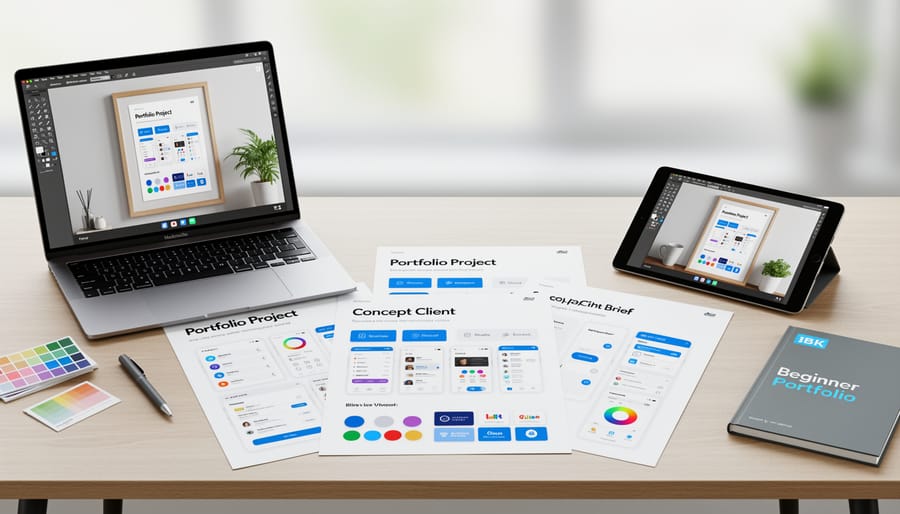
Without client testimonials or real project history, you can still build a compelling portfolio without client work by creating strategic, thoughtful pieces that showcase your abilities. Start with passion projects around topics you genuinely care about, if you love coffee, design a complete rebrand for a fictional café including logo, packaging, and social media templates. The authenticity shows through and gives you something meaningful to discuss in interviews.
Spec work and redesigns offer powerful portfolio options. Find a local business with outdated branding and redesign their materials as if they’d hired you, clearly labeling it as a concept project. Create mock campaigns for established brands, reimagining how they might approach a new product launch or seasonal promotion. These demonstrate your ability to work within brand guidelines and solve real design problems.
Volunteer work bridges the gap between practice and paid projects. Nonprofits, community organizations, and local events constantly need design help but lack budgets. Reach out with specific offers: “I’d like to design your fundraiser poster” works better than “I can help with design.” You’ll gain real-world experience working with feedback, deadlines, and actual stakeholders while building genuine case studies.
For each portfolio piece, document your process. Show initial sketches, explain your design decisions, and walk through how you solved specific challenges. This proves you understand design thinking, not just software tools. Include before-and-after comparisons for redesigns, mockups showing your work in context, and brief descriptions of the project goals. These details demonstrate competence far beyond the visual alone, showing potential clients or employers that you approach design strategically rather than decoratively.
Avoiding Common Beginner Mistakes
Starting your design career without experience makes you vulnerable to costly mistakes that can derail your progress or damage your professional reputation. Learning to spot and avoid these pitfalls protects both your time and your credibility as you build your career.
Copyright violations represent the most serious risk for new designers. Never use images, fonts, or design elements you find online without verifying you have proper licensing. Stock photos require licenses, fonts have usage restrictions, and “inspired by” can quickly become plagiarism if you copy too closely. Familiarize yourself with copyright permissions and licensing rules before you start any project, and build a collection of legitimately free resources from sites like Unsplash, Google Fonts, and Creative Commons repositories.
Watch for client red flags that signal trouble ahead. Clients who refuse to pay deposits, demand unlimited revisions without clear scope, or ask you to work for “exposure” instead of payment rarely become worthwhile relationships. If someone pressures you to start immediately without a written agreement, that’s your cue to walk away.
Pricing mistakes plague beginners who undervalue their work. Charging $50 for a logo because you’re new doesn’t just hurt you, it undermines the entire profession and attracts clients who don’t respect your time. Research market rates in your area and charge at the lower end of professional pricing, not basement prices that make sustainability impossible.
Here are the most critical mistakes to avoid:
- Using unlicensed fonts, images, or graphics in client work
- Starting projects without written contracts or clear deliverable definitions
- Accepting unlimited revision clauses that lead to scope creep
- Underpricing your services to compete on cost alone
- Agreeing to rush timelines that compromise quality and your learning
- Skipping the deposit or working without upfront payment terms
Scope creep happens when projects expand beyond the original agreement without additional compensation. A logo design becomes a full brand package, a single flyer turns into an entire marketing campaign. Prevent this by defining exactly what you’ll deliver, how many revision rounds you include, and what constitutes additional work requiring extra fees. Your contract should specify these boundaries clearly, protecting both you and your client from misunderstandings that sour the relationship.
Proving Your Skills: How to Verify Your Readiness
Before you start charging for design work, you need honest feedback on whether your skills match professional standards. The most effective way is submitting your portfolio to design critique communities like Dribbble’s feedback forums, Reddit’s r/design_critiques, or Behance project comments. Real designers will point out composition flaws, typography mistakes, and technical issues you’ve overlooked.
Participate in timed design challenges on platforms like Daily UI or Briefbox. These simulate client deadlines and reveal whether you can deliver quality work under pressure. If you consistently struggle to complete 90-minute briefs or receive negative feedback, you need more practice before pursuing paid projects.
Create a self-assessment checklist: Can you explain your design choices beyond “it looks good”? Do you understand grid systems, typography hierarchy, and color psychology well enough to defend your decisions? Can you work in industry-standard formats and prepare print-ready or development-ready files? If you’re uncertain about any of these, you’re not ready.
Join local design meetups or online communities where you can show work in progress. Experienced designers often spot beginners trying to hide weak fundamentals with trendy effects. When three different professionals identify the same weakness in your work, that’s your learning priority.
Test yourself by redesigning a real brand’s marketing materials, then comparing your version to what the actual company published. The gap between your work and professional output shows exactly where you stand.
Real Success Story: From Zero to Designer
Maria Chen spent five years as a retail manager before discovering graphic design at age 32. With no formal training or artistic background, she felt intimidated but committed to learning.
She started with free YouTube tutorials and Canva, practicing logo designs for imaginary coffee shops during her lunch breaks. After three months of daily practice, she invested in a Skillshare subscription to learn Adobe Illustrator properly.
The turning point came when Maria redesigned her local community center’s outdated flyer. They loved it and asked her to handle their monthly newsletter. That single project became her first portfolio piece.
Six months into her journey, she created a simple portfolio website showcasing five passion projects: the community center work, a fictional restaurant rebrand, concert posters for bands she loved, and two spec projects for local businesses. She joined design communities on Reddit and Behance, receiving feedback that helped her improve rapidly.
Maria landed her first paid client through a Facebook community group nine months after starting. A small bakery needed menu design. She charged $150, learned valuable lessons about client communication, and gained a testimonial.
Within 18 months of her first tutorial, Maria was freelancing part-time while still managing the store. By month 24, she transitioned to full-time design work, specializing in branding for small food businesses. Her retail experience became an unexpected advantage, helping her understand small business needs deeply.
Today, she runs a successful one-person studio and mentors other career changers.
Frequently Asked Questions
How long does it take to become a graphic designer with no experience?
Most people can reach job-ready status in 6-12 months with consistent daily practice and focused learning. Your timeline depends on how much time you dedicate each week and how quickly you build a strong portfolio.
Do I need a degree to work as a graphic designer?
No, a degree is not required for most graphic design positions. Employers and clients care far more about your portfolio quality and demonstrated skills than formal credentials, making this field highly accessible to self-taught designers.
How much does it cost to start learning graphic design?
You can start for free using tools like Figma, Canva, and GIMP along with free YouTube tutorials and courses. If you choose paid options, expect $50-100 monthly for Adobe Creative Cloud and $20-200 for quality online courses.
What can I realistically earn as a beginner graphic designer?
Entry-level freelancers typically charge $25-50 per hour or $300-800 per project, while junior designer positions often start at $35,000-45,000 annually. Your income grows significantly as you build experience and specialize.
Should I specialize in one area or learn everything?
Start by learning broad fundamentals across logo design, marketing materials, and digital graphics. Once you identify what you enjoy and what clients need, you can specialize in areas like branding, web design, or social media graphics for higher rates.
Can I really get hired without any professional experience?
Yes, if your portfolio demonstrates strong skills through personal projects, spec work, and redesigns. Many companies hire based on portfolio quality alone, and freelancing platforms let you start small and build credibility through client reviews.
What if I’m not naturally artistic or creative?
Graphic design is a learnable skill that combines technical knowledge with creative problem-solving. Many successful designers started without traditional artistic talent and developed their eye through studying design principles and consistent practice.
How do I know which design software to learn first?
Start with Figma or Canva to grasp basic concepts without financial commitment. Once comfortable, move to Adobe Photoshop for image editing and Illustrator for vector work, as these remain industry standards that most employers expect.
These questions reflect the real concerns voiced by people making the career transition into graphic design. The answers are honest about timelines and costs while remaining encouraging about the possibilities.
The lack of formal barriers makes graphic design one of the most accessible creative careers, but success still requires dedicated effort. You won’t become job-ready overnight, but the path is straightforward if you follow it consistently. Focus on building skills that solve real business problems rather than chasing trends, and your portfolio will naturally attract opportunities.
Remember that every professional designer started exactly where you are now. The difference between aspiring designers who succeed and those who give up is simply persistence and willingness to improve through feedback and practice.
Starting your graphic design career without formal experience isn’t just possible, it’s increasingly common in 2026. The path forward is clear: invest in the right tools, master fundamental skills through consistent practice, build a portfolio that showcases your capabilities, and actively seek opportunities to apply your work.
You don’t need permission to begin. Download your chosen software today, commit to 30 minutes of daily practice, and start with a simple project that excites you. Whether that’s redesigning a favorite brand’s logo or creating social media graphics for a cause you care about, action beats perfection every time.
The timeline varies, but most dedicated beginners develop job-ready skills within 6-12 months. Your portfolio will open doors that credentials alone cannot. Focus on quality over quantity, seek honest feedback from design communities, and continuously refine your work based on what you learn.
Remember that every successful designer started exactly where you are now. The difference between aspiring and working designers isn’t talent or formal training, it’s the willingness to start, persist through challenges, and treat each project as a learning opportunity.
For businesses seeking professional design work to elevate their brand presence, I-SEO connects you with skilled designers who understand both aesthetics and marketing strategy. Whether you’re launching a new venture or refreshing an established brand, quality design drives measurable business results.
Your design journey begins with a single project. Make it count.